 Alternative to Adobe Acrobat
A free Acrobat alternativeyour files never leave
Paperkit does the PDF jobs most people open Acrobat for: combine files, reorder and rotate pages, fill a form, sign it, highlight and comment, add page numbers, compress. It runs in your browser, works offline, and never uploads a page, which most free PDF websites cannot say.
 PaperkitOpen, organise, fill, sign and annotate PDFs privately.
Free, with no account. Pick its name and colour first if you like.
- Free forever
- No account
- Works offline
- Interface in English
- No watermark
Paperkit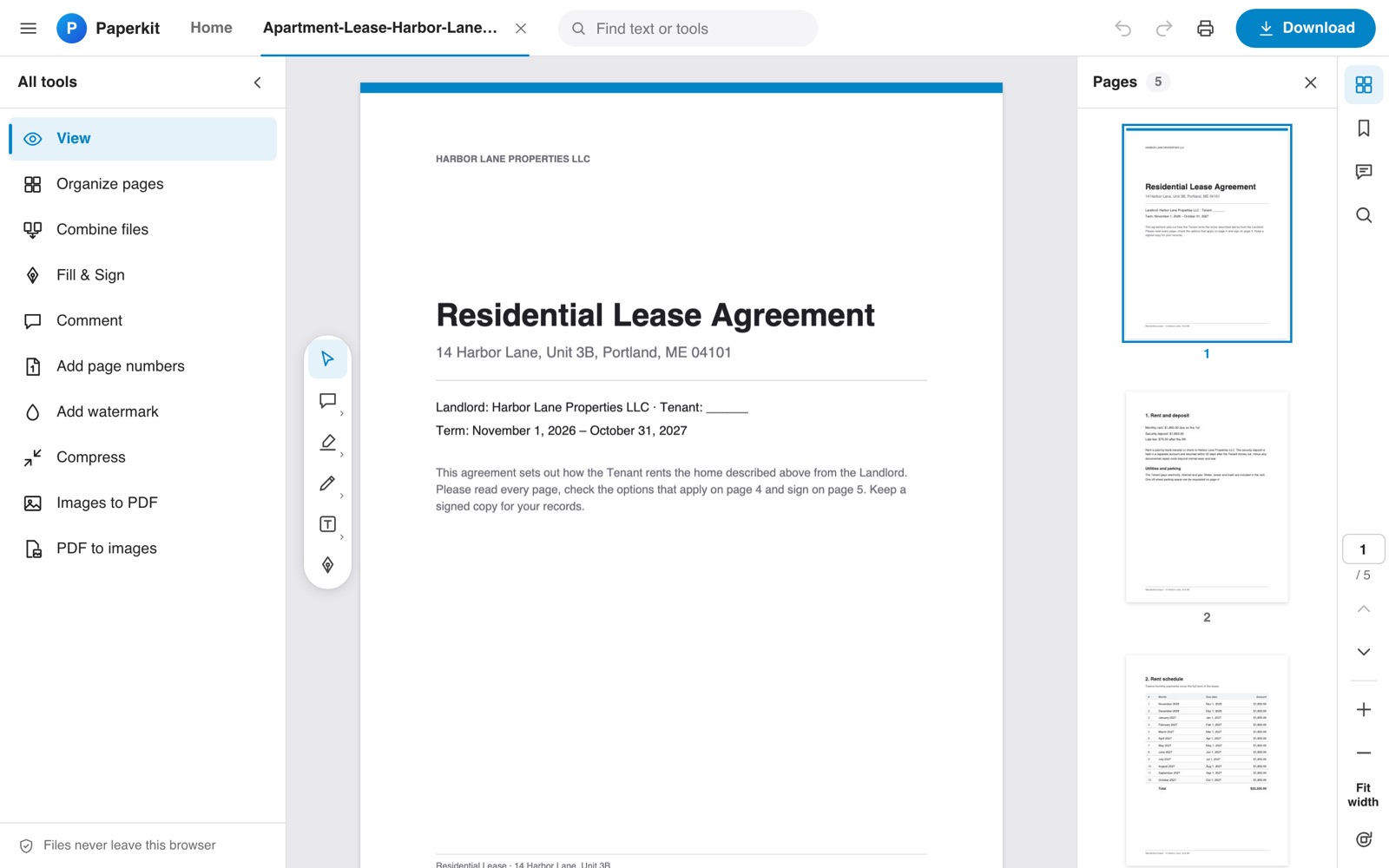
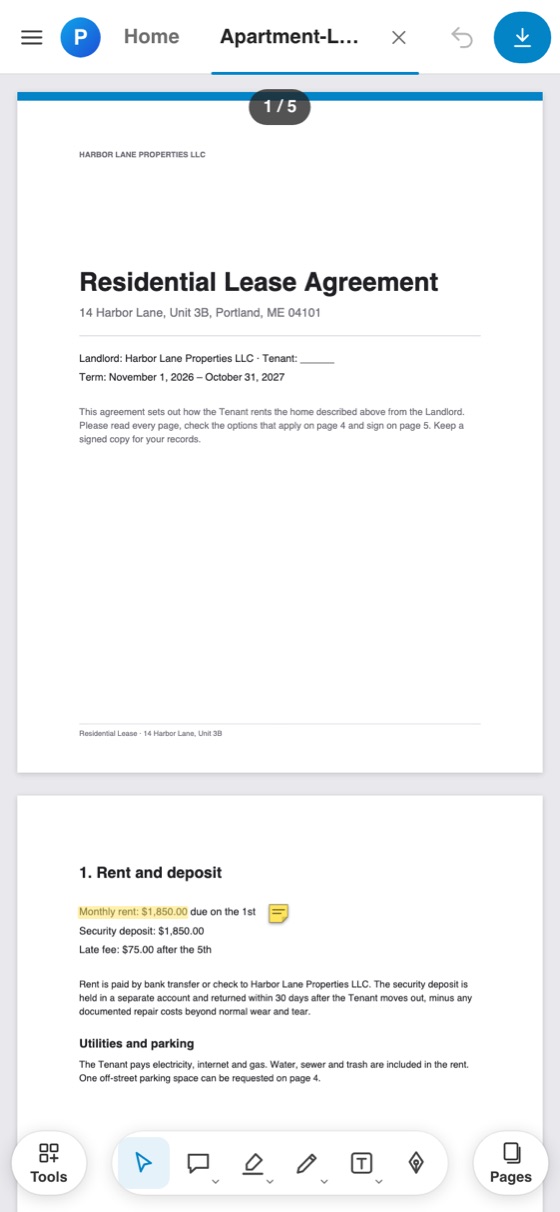
Acrobat and Paperkitside by side
| What you need | Acrobat | Paperkit |
|---|---|---|
| Read, search and print PDFs | YesReader is free | Yes |
| Combine, split, reorder, rotate pages | Partlypaid plans | Yes |
| Fill forms and add a signature | Yesin free Reader | Yestyped, drawn or image signatures |
| Highlight, draw, notes, text boxes | Yes | Yes |
| Compress, page numbers, watermark | Partlypaid plans | Yes |
| PDF to images and images to PDF | Partlypaid plans | YesJPG and PNG |
| Edit the existing text of a PDF | Partlypaid plans | Noyou add text on top |
| Convert to Word, Excel or PowerPoint, OCR | Partlypaid plans | No |
| Certified digital IDs and e-signature requests | Partlypaid plans | Novisual signatures only |
| Password protection and redaction | Partlypaid plans | No |
| Where your files go | Your computer, or Adobe cloud when you use online tools | Nowhere: processed in your browser |
| Account needed | Required for paid plans | None |
| Price | $0 Reader, $14.99 to $29.99 a month to edit | $0, forever |
What Paperkit does not do
- Paperkit cannot rewrite the text that is already in a PDF. You add new text, shapes and highlights on top.
- No conversion to Word, Excel or PowerPoint, and no OCR for scanned pages.
- Signatures are images of your signature, not certificate-based digital IDs, and there is no 'request signatures' workflow.
- No password protection or redaction.
- Strong compression turns pages into images, so their text can no longer be selected. Paperkit warns you before it does.
What Acrobat costsand what Paperkit costs
Acrobat Reader is free for reading, filling and signing. Everything that changes a PDF is in a paid plan.
| Plan | Price | What you get |
|---|---|---|
| Reader | $0 | View, comment, fill and sign |
| Standard | $14.99 a month on a yearly plan, or $24.99 month to month | Edit text and images, combine, convert, compress, protect |
| Pro | $19.99 a month on a yearly plan, or $29.99 month to month | Standard plus redaction and file comparison |
| Studio | $24.99 a month on a yearly plan, or $34.99 month to month | Pro plus AI Assistant |
Source: adobe.com, checked on 16 October 2026. US prices. A yearly plan prepaid costs $179.88 (Standard), $239.88 (Pro) or $299.88 (Studio).
$0No plan, no trial, no card, nothing to cancel.
Paperkit includes combine, organise, compress, sign and annotate at no cost.
Why people leave Acrobat
Cancelling costs money
Adobe's pricing page says that cancelling a yearly plan paid monthly after 14 days can cost up to half of what is left. In 2024 the US FTC and Department of Justice sued Adobe over these fees.
Small jobs need a plan
Merging two files or deleting a page is not possible in free Reader. For a few PDFs a month, a subscription is a lot.
Source: adobe.com
Private files on other servers
Most free PDF websites upload your file to process it. Contracts, IDs and medical letters are exactly the files people would rather keep on their own machine.
Source: petapixel.com
Before you switch
Is there a free alternative to Adobe Acrobat?
Yes. Paperkit merges, splits, reorders, rotates, compresses, fills, signs and annotates PDFs for free, in your browser, with no watermark on the result.
Can I merge PDFs without uploading them?
Yes. Paperkit combines up to 20 PDFs and images on your own device. You can check it yourself: open your browser's network panel while you combine files, and you will see nothing being sent.
How do I sign a PDF for free without Adobe?
Open the PDF in Paperkit, choose Sign, then type, draw or upload your signature and click where it goes. Download the PDF and the signature is part of the page. It is a visual signature, not a certified digital ID.
Does Paperkit work offline?
Yes. Once loaded, it needs no connection at all, and it keeps your recent files in your browser so you can reopen them.
Can Paperkit edit the text already in my PDF?
No. You can add new text boxes, highlights and shapes over a page, but rewriting existing text needs a desktop editor such as Acrobat Standard.
Do I need an account?
No. There is no sign-up, no email and no limit on the number of files.
Keep PaperkitFree, on your devices
Install it on your computer or phone in a few seconds. It is yours: no account, no subscription, no data sent anywhere.
Free, with no account. Pick its name and colour first if you like.
Adobe Acrobat is a trademark of its owner. Labclone is not affiliated with it. Paperkit is original software with its own name and design.
Other apps you can stop renting
 CarnetAlternative to Notion
 RectoAlternative to Quizlet
 FernlyAlternative to YNAB
 PaperlaneAlternative to FreshBooks
 LapseAlternative to Toggl Track
 CursusAlternative to Resume.io
 FootnoteAlternative to WiseStamp
 KindlingAlternative to Habitify
 PagelightAlternative to Day One
 ParlaAlternative to Duolingo
 Mot du jourAlternative to Wordle